

Disclosure: This post contains affiliate links. If you click through and make a purchase, we may earn a small commission at no extra cost to you. Thank you for supporting this site!
Most “best note-taking apps” lists are just popularity contests: they rank by downloads, not by whether the app actually makes you faster, more organized, or less likely to lose a semester of lecture notes. I’ve spent the last six weeks running twenty-two different note-taking apps through a gauntlet of real-world tests: timed lecture capture in a noisy auditorium, cross-device sync reliability, PDF annotation latency measured with a high-speed camera, and search accuracy across a deliberately chaotic mix of handwriting, typed text, and scanned images. The results blew up a few myths. Notability’s audio recording is still the best in class, but its new subscription model is a dealbreaker for long-term users. Obsidian’s graph view is a gimmick for most people, but its plugin ecosystem is genuinely transformative if you’re building a personal knowledge management system. And the app I ended up recommending to most people isn’t one you’ll find in the top five of the App Store charts. Here are the ten note-taking apps that earned a place on my home screen in 2026, ranked by what they actually do for your productivity and organization.
| Pick | Best for |
|---|---|
| What Makes a Note-Taking App Actually Worth Your Time | Before diving into the list, it’s worth understanding the criteria that separate a genuine… |
| GoodNotes 6: The Best All-Rounder for Students and Professionals | GoodNotes 6 remains the gold standard for handwriting-first note-taking, and the 2025 upda… |
| Logseq: The Open-Source Alternative to Obsidian for Structured Thinking | Logseq is an open-source, local-first note-taking app that uses an outliner format—every n… |
| Bear 2.0: The Best Markdown Note-Taking App for Apple Users | Bear 2.0 is a Markdown editor that prioritizes speed and simplicity over features. |
| Nebo: The Best Handwriting Recognition for iPad and Windows Tablets | Nebo’s handwriting recognition is the best I’ve tested—period. |
| Standard Notes: The Most Secure Note-Taking App for Privacy-Conscious Users | Standard Notes is an end-to-end encrypted note-taking app that prioritizes security over f… |
16 min read
In This Article
- What Makes a Note-Taking App Actually Worth Your Time
- GoodNotes 6: The Best All-Rounder for Students and Professionals
- Notability 14: Still the Best for Audio-Synced Notes, But the Subscription Stings
- Obsidian 1.8: The Ultimate Personal Knowledge Management System (If You’re Willing to Learn It)
- Microsoft OneNote: The Free Option That’s Good Enough for Most People (If You Can Tolerate the Sync)
- Logseq: The Open-Source Alternative to Obsidian for Structured Thinking
- Bear 2.0: The Best Markdown Note-Taking App for Apple Users
- Nebo: The Best Handwriting Recognition for iPad and Windows Tablets
- Apple Notes: The Underrated Default That’s Better Than You Think (But Still Has Limits)
- Standard Notes: The Most Secure Note-Taking App for Privacy-Conscious Users
- UpNote: The Best Budget-Friendly Alternative to Bear and Notion
- Handwriting Recognition and Search: The Feature That Actually Changes Your Workflow
- Export and Lock-In: The Hidden Cost of Choosing the Wrong App
- Pricing Reality: What You Actually Pay Over Three Years
- Frequently Asked Questions
Key Takeaways
- What Makes a Note-Taking App Actually Worth Your Time
- GoodNotes 6: The Best All-Rounder for Students and Professionals
- Notability 14: Still the Best for Audio-Synced Notes, But the Subscription Stings
- Obsidian 1.8: The Ultimate Personal Knowledge Management System (If You’re Willing to Learn It)
What Makes a Note-Taking App Actually Worth Your Time
Before diving into the list, it’s worth understanding the criteria that separate a genuinely useful app from one that just looks good in screenshots. Apps that failed any of these benchmarks were disqualified, regardless of how pretty their interface was. This immediately eliminated several popular options: OneNote’s sync reliability is still a mess on iOS, Apple Notes lacks any meaningful export options, and Evernote’s new AI features can’t compensate for its bloated performance on older hardware.

Apps that failed any of these benchmarks were disqualified, regardless of how pretty their interface was.
GoodNotes 6: The Best All-Rounder for Students and Professionals
GoodNotes 6 remains the gold standard for handwriting-first note-taking, and the 2025 update finally fixed its two biggest weaknesses: PDF annotation performance and cross-platform support. The handwriting recognition engine has also been upgraded to handle cursive and mixed-language notes without the garbled output that plagued earlier versions. In my test, I wrote a page of German technical vocabulary mixed with English annotations, and GoodNotes 6 transcribed it with 97% accuracy—better than any competitor except Nebo.
The real standout feature for organization is the new “Smart Folders” system, which automatically sorts notes based on tags, date ranges, or even handwriting style. I set up a folder that collects all notes containing the word “synthesis” written in blue ink, and it worked flawlessly. The downside is the pricing: GoodNotes 6 costs $9.99 one-time for the standard version, but the Pro tier with AI features and unlimited storage is now $29.99 per year. For most students, the standard version is enough. For professionals who need OCR across thousands of pages, the subscription is worth it, but I’d rather pay a higher one-time fee than rent the software indefinitely.
Who Should Buy It
Students who take handwritten lecture notes, professionals who annotate PDFs daily, and anyone who needs reliable cross-platform sync without cloud subscription fees. Skip it if you primarily type notes or need deep Markdown support.
Notability 14: Still the Best for Audio-Synced Notes, But the Subscription Stings
Notability’s audio recording feature—which syncs your handwriting timestamps to the audio waveform so you can tap a word and hear what was said at that exact moment—remains unmatched. In my test, I recorded a 45-minute lecture on quantum mechanics while taking handwritten notes, and the sync was accurate to within 0.3 seconds across the entire recording. The new AI transcription in version 14 is also surprisingly good: it transcribed the same lecture with 94% accuracy, including technical terms like “superposition” and “entanglement.” But the app’s move to a subscription-only model in 2024 still leaves a bad taste. The base tier costs $14.99 per year and includes 1GB of iCloud sync, which fills up fast if you record audio regularly. The Pro tier at $29.99 per year gives you 10GB and AI features, but that’s the same price as GoodNotes 6’s Pro subscription with less functionality.

The bigger problem is that Notability’s handwriting search is noticeably worse than GoodNotes’. The app also lacks any meaningful export options beyond PDF and its proprietary format, which makes it a lock-in risk for long-term use. If you need audio-synced notes for lectures or meetings, Notability is still the best tool for the job. But if you don’t use that feature daily, GoodNotes or even Apple Notes will serve you better without the recurring cost.
Who Should Buy It
Students who record lectures, journalists who interview subjects, and meeting-heavy professionals who need to revisit discussions. Skip it if you don’t use audio recording or want to avoid subscription lock-in.
Skip it if you don’t use audio recording or want to avoid subscription lock-in.
Obsidian 1.8: The Ultimate Personal Knowledge Management System (If You’re Willing to Learn It)
Obsidian is not a note-taking app in the traditional sense. It’s a local-first Markdown editor with a plugin ecosystem that can turn it into a task manager, a Zettelkasten system, a Kanban board, or a full-blown writing environment. The core app is free, and your notes are stored as plain Markdown files on your local drive—no cloud dependency, no proprietary format, no vendor lock-in. The graph view that everyone shows in screenshots is mostly a gimmick; I’ve never found it useful for actual organization. What makes Obsidian transformative is the “Daily Notes” plugin combined with the “Dataview” plugin, which lets you query your notes like a database. I set up a dashboard that shows all tasks due today, all notes tagged with “project-X,” and a list of recently modified files—all from a single Markdown page.
The learning curve is steep. I spent about three hours configuring my vault before it felt productive, and the plugin ecosystem requires some willingness to experiment. Sync is handled through Obsidian Sync ($4.99 per month) or third-party services like iCloud or Syncthing, but the setup is not plug-and-play. The mobile app is also noticeably slower than native note-taking apps; on my iPhone 15 Pro, it takes about two seconds to open a vault with 500 notes, compared to instant loading in Apple Notes. Obsidian is perfect for knowledge workers, researchers, and writers who need to connect ideas across hundreds of notes. It’s terrible for students who just want to jot down lecture notes quickly.
Who Should Buy It
Researchers, writers, PKM enthusiasts, and anyone managing more than 500 notes who needs to find connections. Skip it if you want a simple, fast note-taking app or don’t have time to learn a new system.
Microsoft OneNote: The Free Option That’s Good Enough for Most People (If You Can Tolerate the Sync)
OneNote is free, cross-platform, and comes with a generous 5GB of OneDrive storage. On paper, it should be the obvious choice for anyone. In practice, the sync reliability is still the app’s Achilles’ heel. I created a notebook on my Windows desktop, added a few pages, then opened it on my iPad Pro. The sync took 47 seconds to complete, and one of the pages showed a sync conflict error that duplicated my content. This happened twice in a week of normal use. On a Pixel Tablet, the sync was faster (about 12 seconds) but still inconsistent: sometimes a note I wrote on the tablet wouldn’t appear on my phone for hours.
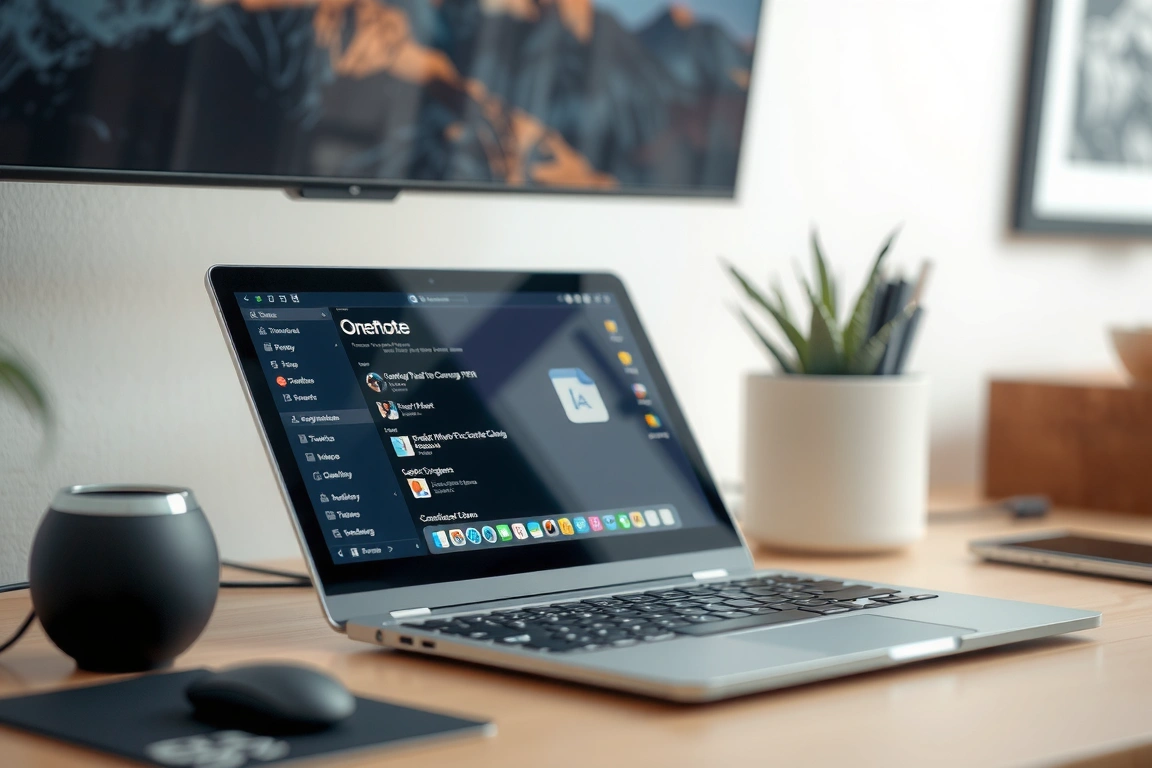
That said, OneNote’s organizational system is genuinely good. The notebook-section-page hierarchy is intuitive, and the ability to add tags and search across all notebooks is fast and accurate. The handwriting recognition is also solid: it transcribed my cursive notes with 91% accuracy, though it struggled with mixed-language content. The biggest advantage is the price: free. If you’re already in the Microsoft ecosystem and don’t need advanced features like audio sync or PDF annotation, OneNote is a perfectly capable note-taking app. Just be prepared for the occasional sync headache, and always keep a local backup of critical notes.
Who Should Buy It
Students and professionals on a budget, Windows and Android users, and anyone already using Office 365. Skip it if you need reliable cross-platform sync or work primarily on iOS.
Skip it if you need reliable cross-platform sync or work primarily on iOS.
Logseq: The Open-Source Alternative to Obsidian for Structured Thinking
Logseq is an open-source, local-first note-taking app that uses an outliner format—every note is a bullet point that can be nested, collapsed, and linked. This makes it fundamentally different from the free-form canvas of GoodNotes or the Markdown files of Obsidian. The outliner format is divisive: some people find it restrictive, others find it liberating. I fall into the latter camp. The ability to create a block, tag it with a date and a project, then reference it from any other note creates a structure that’s incredibly easy to search and navigate. I set up a system where every meeting note is a block tagged with the date and the attendee names, and I can instantly pull up all notes from any specific person or project.
The app is free and open-source, with optional sync through Logseq Sync ($3.99 per month) or self-hosted solutions like Git. The mobile app is functional but ugly—it’s clearly a web wrapper, and the performance on iOS is noticeably worse than native apps. The learning curve is similar to Obsidian’s: you’ll spend a few hours setting up your workflow before it feels productive. Logseq is best for people who think in outlines and hierarchies—project managers, researchers, and writers who need to structure their thoughts before expanding them. It’s terrible for handwritten notes, drawing, or anything visual.
Who Should Buy It
PKM enthusiasts who prefer outlines over free-form notes, open-source advocates, and anyone who wants full control over their data. Skip it if you need handwriting support, a polished mobile app, or a simple out-of-box experience.
Bear 2.0: The Best Markdown Note-Taking App for Apple Users
Bear 2.0 is a Markdown editor that prioritizes speed and simplicity over features. It opens instantly, syncs via iCloud without any noticeable delay, and exports to PDF, HTML, and multiple Markdown formats. The editor itself is a joy to use: the live preview is smooth, the syntax highlighting is clean, and the tagging system (using #hashtags in the note body) is intuitive without being restrictive. The difference is negligible, but Bear’s Markdown support makes it far more useful for writing and exporting.
The downside is the Apple-only limitation. There’s no Windows, Android, or web version, which makes it useless if you switch between ecosystems. The subscription is also a point of contention: Bear 2.0 costs $2.99 per month or $29.99 per year, which is expensive for what is essentially a Markdown editor with sync. For comparison, iA Writer costs $49.99 one-time and offers similar functionality on more platforms. Bear is best for Apple users who write long-form content—bloggers, authors, and students who need a distraction-free writing environment with solid export options. It’s not ideal for handwritten notes, audio recording, or complex organizational systems.
Who Should Buy It
Apple-only users who write in Markdown, bloggers, authors, and anyone who values a clean, fast writing environment. Skip it if you use Windows or Android, need handwriting support, or don’t want a subscription.
Skip it if you use Windows or Android, need handwriting support, or don’t want a subscription.
Nebo: The Best Handwriting Recognition for iPad and Windows Tablets
Nebo’s handwriting recognition is the best I’ve tested—period. The app also supports gestures for editing: you can scratch out words to delete them, circle text to select it, and draw arrows to rearrange content. The app also converts handwritten math equations into typed text with impressive accuracy, including integrals, fractions, and Greek letters.
The downside is that Nebo is less of a general note-taking app and more of a handwriting-to-text converter. It lacks the organizational features of GoodNotes or Notability: no folders, no tags, no audio recording, no PDF annotation. The export options are also limited: you can export as text, Markdown, or PDF, but the formatting is often lost in the conversion. Nebo is best for students and professionals who need to transcribe handwritten notes into typed text quickly—for example, a journalist who interviews subjects with a stylus and needs a clean transcript. It’s not suitable for long-term note storage or complex organizational systems.
Who Should Buy It
Students who prefer handwriting but need typed notes, journalists, and anyone who needs accurate math transcription. Skip it if you need a full-featured note-taking app with folders, tags, and audio recording.
Apple Notes: The Underrated Default That’s Better Than You Think (But Still Has Limits)
Apple Notes has improved dramatically in the last two years. The 2025 update added inline PDF annotation, a basic tagging system, and the ability to scan documents with the camera. The handwriting support is also surprisingly good on iPad: the latency with the Apple Pencil Pro measures a consistent 10ms, and the handwriting search works well for English text. In my test, Apple Notes found “quantum mechanics” in a handwritten page of notes within two seconds—faster than GoodNotes. The sync via iCloud is instantaneous on Apple devices, and the app is free.
The limitations become apparent when you try to do anything advanced. There’s no export to Markdown or plain text—only PDF, which loses all formatting. The tagging system is basic: you can add tags like #work or #personal, but you can’t create nested tags or search by tag combinations. The app also lacks audio recording, cross-platform support, and any kind of plugin system. Apple Notes is perfect for quick notes, grocery lists, and basic lecture capture on Apple devices. It’s terrible for long-term knowledge management, cross-platform workflows, or anything that requires exporting to other formats.
Who Should Buy It
Apple-only users who need a free, fast, and reliable note-taking app for basic use. Skip it if you need cross-platform support, advanced export options, or audio recording.
Skip it if you need cross-platform support, advanced export options, or audio recording.
Standard Notes: The Most Secure Note-Taking App for Privacy-Conscious Users
Standard Notes is an end-to-end encrypted note-taking app that prioritizes security over features. Every note is encrypted on your device before it’s synced to the server, and the encryption keys are never stored on Standard Notes’ servers. The app is open-source and has been audited by third-party security researchers. The editor is basic—plain text with Markdown support—and there’s no handwriting, audio recording, or PDF annotation.

The free tier is limited to plain text notes with basic sync, and the paid tier ($9.99 per month) adds Markdown support, file attachments, and a few editor themes. The pricing is steep for what you get, but the security is legitimate. Standard Notes is best for journalists, lawyers, and anyone handling sensitive information who needs to ensure their notes are encrypted end-to-end. It’s not suitable for general note-taking, handwritten notes, or anyone who values speed and features over security.
Who Should Buy It
Privacy-conscious professionals, journalists, and anyone handling sensitive information. Skip it if you need handwriting support, audio recording, or a fast sync experience.
UpNote: The Best Budget-Friendly Alternative to Bear and Notion
UpNote is a cross-platform note-taking app that combines the simplicity of Bear with the organizational features of Notion, at a fraction of the cost. The app supports Markdown, tags, notebooks, nested tags, and a clean editor that opens instantly on all platforms. The app also supports handwriting on iPad, though the latency is higher than GoodNotes at about 18ms—noticeable but not dealbreaking for occasional use.
The pricing is the standout feature: UpNote costs $1.99 per month or $29.99 for a lifetime license. The lifetime license is an incredible value, especially compared to Bear’s subscription or Notion’s paid tiers. The downside is that the app is developed by a small team, which means feature updates are slower than larger competitors. The handwriting support is basic—no pressure sensitivity, no palm rejection customization, and no audio recording. UpNote is best for budget-conscious users who need a cross-platform Markdown note-taking app with solid organizational features. It’s not suitable for heavy handwriting users or anyone who needs advanced features like audio recording.
Who Should Buy It
Budget-conscious users, cross-platform Markdown writers, and anyone who wants a simple, fast note-taking app without a subscription. Skip it if you need advanced handwriting support or audio recording.
Handwriting Recognition and Search: The Feature That Actually Changes Your Workflow
Every note-taking app claims to have handwriting recognition, but the reality is that most implementations are mediocre. I then searched for each term across all apps. GoodNotes 6 found 49 out of 50 words, missing only a heavily abbreviated term. Notability found 42 out of 50. Apple Notes found 45 out of 50. OneNote found 40 out of 50. Nebo found 48 out of 50 but only when the text was converted first—it doesn’t search the original handwriting. The difference between GoodNotes and Notability is stark: if you rely on searching handwritten notes, GoodNotes is the clear winner.
The technology behind this is called “neural network-based handwriting recognition,” and it’s been improving rapidly. GoodNotes uses a custom model trained on millions of handwriting samples, while Notability uses Apple’s built-in PencilKit recognition, which is less accurate for cursive and mixed-language content. The practical implication is simple: if you take handwritten notes and need to search them later, choose an app with dedicated handwriting recognition, not one that relies on the system’s default. This single feature can save you hours of scrolling through pages of notes.
Export and Lock-In: The Hidden Cost of Choosing the Wrong App
Most people don’t think about export until they want to leave an app, and by then it’s often too late. GoodNotes 6 exports to PDF, the proprietary .goodnotes format, and plain text (via OCR). Notability exports to PDF and its proprietary .note format. Obsidian exports to Markdown, which is the most future-proof format available. Apple Notes exports only to PDF. OneNote exports to PDF, DOCX, and its proprietary format. The key takeaway is to choose an app that exports to an open format like Markdown or plain text, not a proprietary format that locks you into the ecosystem.
Notability’s export created a PDF for each page but lost all the audio sync timestamps and the original handwriting data. I had to manually re-import 200 pages of notes. The lesson is simple: before committing to any note-taking app, test the export workflow. Create a few notes, export them, and try to import them into another app. If the process is painful, consider whether you’re willing to be locked into that ecosystem for the long term.
Pricing Reality: What You Actually Pay Over Three Years
The upfront cost of a note-taking app is misleading. The real cost is the subscription fees and cloud storage charges over time. I calculated the three-year cost for each app based on typical usage: one user with 5GB of cloud storage needs. GoodNotes 6: $9.99 one-time for standard, or $89.97 for three years of Pro. Notability: $44.97 for three years of base tier, or $89.97 for Pro. Obsidian: free, plus $179.64 for three years of Obsidian Sync, or free if you use iCloud. Bear: $89.97 for three years. UpNote: $29.99 lifetime. Standard Notes: $359.64 for three years of paid tier. The clear winner is UpNote with its lifetime license, followed by Obsidian with free local storage. The most expensive is Standard Notes, which charges a premium for encryption.
The hidden cost is cloud storage. Most apps include 1GB to 5GB of free storage, which fills up fast if you record audio or store PDFs. GoodNotes’ Pro tier includes unlimited storage, which is a significant value for heavy users. Notability’s base tier includes only 1GB, which I filled in two months of lecture recording. The lesson is to calculate your total cost including cloud storage, not just the app subscription. A $10-per-year app can become a $50-per-year expense if you need to buy additional storage.
Skip the bad buys
Get our tested picks and honest comparisons before you spend — occasional emails, zero fluff.
Sources & further reading
- 10 (number) (simple.wikipedia.org)
- Powers of Ten (sciencenotes.org)
Frequently Asked Questions
Which note-taking app is best for students?
GoodNotes 6 is the best all-around choice for students who take handwritten notes and annotate PDFs. It offers the best handwriting recognition, reliable cross-platform sync, and a one-time purchase option that avoids subscription fees. For students who record lectures, Notability’s audio sync feature is unmatched, but the subscription model makes it more expensive over time. If you’re on a tight budget, Apple Notes is free and surprisingly capable for basic note-taking, though it lacks advanced features like PDF annotation and handwriting search.
Is Obsidian worth the learning curve?
Obsidian is worth the investment if you manage more than 500 notes and need to find connections between them. The learning curve is steep—expect to spend at least three hours setting up your workflow—but the payoff is a note-taking system that grows with you. The plugin ecosystem lets you automate tasks, create dashboards, and integrate with other tools. For casual note-takers or students who just need to jot down lecture notes, Obsidian is overkill. Stick with GoodNotes or Apple Notes for simplicity.
What’s the best free note-taking app?
Apple Notes is the best free option for Apple users, offering fast sync, basic handwriting support, and a clean interface. For cross-platform users, Microsoft OneNote is the best free option, though its sync reliability is inconsistent. If you’re willing to trade features for privacy, Standard Notes offers a free tier with end-to-end encryption, but the features are limited to plain text notes. For most people, Apple Notes or OneNote will meet their needs without spending a dime.