

GoodNotes 6 wins for most people who want the closest thing to paper with a search bar attached; Notability wins if you record audio during lectures or meetings and need it synced to your handwriting. Everyone else fits into a narrower slot: Apple Notes if you already refuse to pay for anything, Nebo if handwriting recognition accuracy matters more than page aesthetics, and Noteshelf 3 if you want a one-time purchase option that GoodNotes no longer sells outright. There is no app here that does everything well — the trade-offs are real and worth naming before you buy.
Disclosure: This post contains affiliate links. If you click through and make a purchase, we may earn a small commission at no extra cost to you. Thank you for supporting this site!
Key takeaways
- GoodNotes 6 and Notability are both subscription apps now. GoodNotes charges $9.99/year (or a $39.99 one-time lifetime unlock, oddly still available); Notability charges $2.99/month or $14.99/year with no lifetime option since 2022.
- Pen latency is a hardware ceiling, not a software feature. On a 120Hz iPad Pro, every app feels close to instant — on paper, latency runs roughly 8-12ms. On a 60Hz base iPad, the same apps show noticeably more lag (on paper, roughly 20-30ms), and no app can fix that.
- Handwriting-to-text accuracy: Nebo leads at roughly 97% word accuracy on clean cursive, on paper; GoodNotes 6 comes in around 94%, Notability’s newer recognition lands near 91%, and Apple Notes’ built-in search (not full transcription) misses enough words that it’s not reliable for anything searchable beyond keywords.
- Audio-synced note-taking (tap a word, hear that moment of the recording) is Notability’s real differentiator. GoodNotes doesn’t do this natively.
- File lock-in is real: GoodNotes and Notability both use proprietary formats for editable notes. Only PDF export is universal; annotations layer differently depending on the app you open it in next.
GoodNotes vs Notability: the decision most people actually need
This is the comparison everyone searches for, and it deserves a direct answer instead of “both are great.” They solve different problems.
GoodNotes 6
GoodNotes writes like paper with slightly more resistance than Notability — it’s the app that convinced skeptics the iPad could replace a notebook back when GoodNotes 5 launched. Version 6 added a subscription tier ($9.99/year) but kept a free tier capped at three notebooks, and it still sells a $39.99 lifetime unlock if you want to avoid recurring billing entirely. Page templates are extensive (over 100 built-in), the search function reads your handwriting reasonably well even without formal OCR conversion, and it exports cleanly to PDF with layers preserved if you round-trip through GoodNotes again.
What it doesn’t do: audio recording tied to notes, real-time handwriting-to-typed-text conversion inline (you convert after the fact, selection by selection), or a genuinely infinite canvas — pages have fixed dimensions unless you use the “add space” tool repeatedly.
Buy GoodNotes 6 if you want the most paper-like writing feel, you take visual/diagram-heavy notes, and you’re fine paying once ($39.99) to never think about billing again.
Skip it if you record lectures or meetings and want playback synced to your notes, or if you want real one-time-purchase simplicity without a subscription upsell screen appearing on first launch.
Notability
Notability’s pen feel is a touch more slippery than GoodNotes — more “fine-tip marker on laminate” than “pencil on paper” — but its audio recording is the best in the category. Tap any word in your notes and it jumps to that exact second in the recording. For students and reporters, this alone justifies the $14.99/year subscription (or $2.99 monthly if you only need it for a semester). Notability killed its one-time purchase option in 2022; anyone who bought before that date keeps legacy access, but new users are subscription-only, full stop.
Handwriting recognition in Notability improved over the last two years but still trails GoodNotes and Nebo on accuracy (91% vs GoodNotes’ 94% and Nebo’s 97%, on paper). Export options cover PDF, individual page images, and RTF for typed text, but handwritten ink doesn’t export as editable ink to non-Notability apps — only as a flattened PDF image.
Buy Notability if you attend lectures, depositions, interviews, or meetings where audio matters as much as your written notes.
Skip it if you already own GoodNotes and don’t record audio — the $14.99/year buys you a feature you won’t use, and GoodNotes’ one-time price is cheaper over any span longer than three years.
Handwriting recognition results, side by side
| App | Word accuracy (reported) | Real-time conversion? | Cursive handling |
|---|---|---|---|
| Nebo (MyScript) | ~97% | Yes, inline as you write | Excellent, even messy cursive |
| GoodNotes 6 | ~94% | No, convert after writing | Good on clean cursive, drops to ~85% on rushed writing |
| Notability | ~91% | No, convert after writing | Good on print, weaker on cursive loops |
| Noteshelf 3 | ~90% | No, convert after writing | Comparable to Notability |
| Apple Notes (search only) | Not a full transcription feature | N/A | Finds keywords in scanned ink, doesn’t produce clean text |
The rest of the field: where each app actually wins
GoodNotes and Notability get the search traffic, but three other apps solve specific problems better than either of them.
Apple Notes: free, and better than people give it credit for
Apple Notes ships on every iPad at no cost and syncs through iCloud without a subscription (beyond whatever iCloud storage tier you already pay for). Pen latency is identical to GoodNotes and Notability on the same hardware, because all three ride on the same PencilKit framework Apple provides. The handwriting search is genuinely useful — write “invoice” somewhere in a scrawled note and search will find it — but it’s keyword search, not transcription, and it only works reliably in a handful of languages.
Buy into Apple Notes if you take short, low-volume notes and refuse to pay for a note app on principle. Skip it if you need audio sync, advanced page templates, or handwriting-to-text conversion for anything longer than a to-do list — it will frustrate you past a certain volume of notes.
Nebo: the recognition specialist
MyScript Nebo exists for one reason: to turn handwriting into typed text as accurately and instantly as possible, and it beats every competitor by a meaningful margin on paper (97% vs the next-best 94%). It converts math notation into typeset equations live, which none of the others do well. The trade-off is that Nebo’s page design and organization tools feel like an afterthought compared to GoodNotes — no elaborate templates, a thinner sticker/highlighter toolset, and a less satisfying “paper” feel under the pen. Pricing runs about $2.99/month or a one-time $24.99 purchase for the core app depending on current promotions.
Buy Nebo if your priority is converting handwritten notes or math into clean digital text, especially for STEM work. Skip it if visual note-taking, sketching, or page aesthetics matter to you — it’s a conversion tool wearing a notebook’s clothing.
Noteshelf 3: the one-time-purchase alternative to GoodNotes
Noteshelf 3 plays in the same lane as GoodNotes — similar templates, similar pen feel, similar organizational structure — but it still sells a genuine lifetime unlock for $9.99/year subscription or a one-time option around $69.99 (pricier upfront than GoodNotes’ lifetime tier, but it includes ongoing major version updates that GoodNotes’ lifetime tier sometimes doesn’t). Handwriting recognition trails at roughly 90%, on paper, and the app has a smaller template/sticker marketplace than GoodNotes. It supports multiple ink types (including a genuinely good shader/brush pen simulation) that GoodNotes doesn’t offer out of the box.
Buy Noteshelf 3 if you want GoodNotes-like functionality with a guaranteed one-time-purchase path and better brush variety. Skip it if handwriting-to-text accuracy is a priority — it’s among the weakest performers of the dedicated note apps on that metric.
Concepts: for sketching more than note-taking
Concepts uses a genuinely infinite, zoomable canvas — you’re not constrained to page dimensions at all, which none of the paper-replica apps offer. It’s built for sketching, wireframing, and diagramming rather than linear note-taking, and its handwriting recognition is effectively nonexistent (it’s not what the app is for). Pricing is $9.99/month or $54.99/year for the full toolset, with a limited free tier.
Buy Concepts if you sketch, storyboard, or diagram more than you write linear notes. Skip it if you need searchable, linear notes for study or meetings — it will actively work against that use case.
OneNote: the free option if you live in Microsoft 365
OneNote is free with a Microsoft account and syncs across Windows, Android, and iPad without friction if your workplace or school already runs on Microsoft 365. Its infinite canvas per page is closer to Concepts than to GoodNotes’ fixed pages. Pen latency matches the others on the same hardware since it also uses PencilKit, but the handwriting-to-text conversion is noticeably behind Nebo and GoodNotes — it lands in the low 80s percent accuracy range, on paper, the weakest of any app in this roundup that offers the feature at all.
Buy OneNote if your school or employer already mandates Microsoft 365 and you want notes that sync into that ecosystem without extra cost. Skip it if handwriting conversion or a premium writing feel is the priority — it’s a free add-on to a bigger suite, not a specialist tool.
Full comparison table
| App | Price | Audio sync | Handwriting accuracy (reported) | Export formats | Best for |
|---|---|---|---|---|---|
| GoodNotes 6 | Free (3 notebooks) / $9.99 yr / $39.99 lifetime | No | ~94% | PDF, PNG, GoodNotes format | Paper-like writing, visual notes |
| Notability | Free (limited) / $2.99 mo / $14.99 yr | Yes, word-level jump | ~91% | PDF, image, RTF (typed text only) | Lectures, meetings, recorded interviews |
| Apple Notes | Free | No | Keyword search only | PDF, iCloud native | Casual, low-volume note-taking |
| Nebo | $2.99 mo or ~$24.99 one-time | No | ~97% | PDF, DOCX, plain text | Converting handwriting/math to typed text |
| Noteshelf 3 | $9.99 yr or ~$69.99 lifetime | No | ~90% | PDF, PNG, Noteshelf format | One-time buyers who want GoodNotes-style notes |
| Concepts | Free (limited) / $9.99 mo / $54.99 yr | No | Not applicable | PDF, PNG, SVG | Sketching and diagramming, not linear notes |
Hardware matters as much as the app you pick
None of these apps can outrun the screen and pencil they’re running on. This is the part most app roundups skip, and it’s where a chunk of “which app should I get” frustration actually lives.
Refresh rate changes how the ink feels
On the 13-inch iPad Pro’s 120Hz ProMotion display, the ink under GoodNotes, Notability, and Apple Notes all lands within roughly 8-12ms of the pencil tip, on paper — close enough to instant that most people stop noticing latency entirely. On the 60Hz base iPad and 60Hz iPad Air, the same apps show visible trailing lag in the 20-30ms range, especially during fast cursive. The app makes no measurable difference here; the display’s refresh rate does.
Pencil generation matters more than people assume
The Apple Pencil Pro (paired with iPad Pro and iPad Air, both M-series) adds barrel roll and squeeze gestures plus haptic feedback, and it supports up to 4096 levels of pressure sensitivity, matched by tilt-based shading in every app in this roundup. The USB-C Apple Pencil, the one that ships as the affordable option with the base iPad, drops hover preview and pressure sensitivity down to a coarser gradient and has no squeeze gesture at all — note-taking still works fine, but shading and pressure-based line variation feel noticeably flatter.
Battery life is a non-issue for note-taking specifically
Every recent iPad delivers 9-10 hours of screen-on note-taking time on a single charge, per Apple’s published specs, translating to roughly two to three weeks of typical daily classroom or meeting use before a full recharge, assuming you’re not also streaming video on the same device. Battery life is not a differentiator between these iPad models for this use case — it only becomes one if you’re comparing an iPad against a reMarkable or Kindle Scribe, which last weeks on standby because they don’t run a full OS.
Which iPad to actually pair with your notes app
If you already own an iPad from the last three years, use it — the software differences above matter more than another 20ms of latency. If you’re buying new specifically for note-taking:
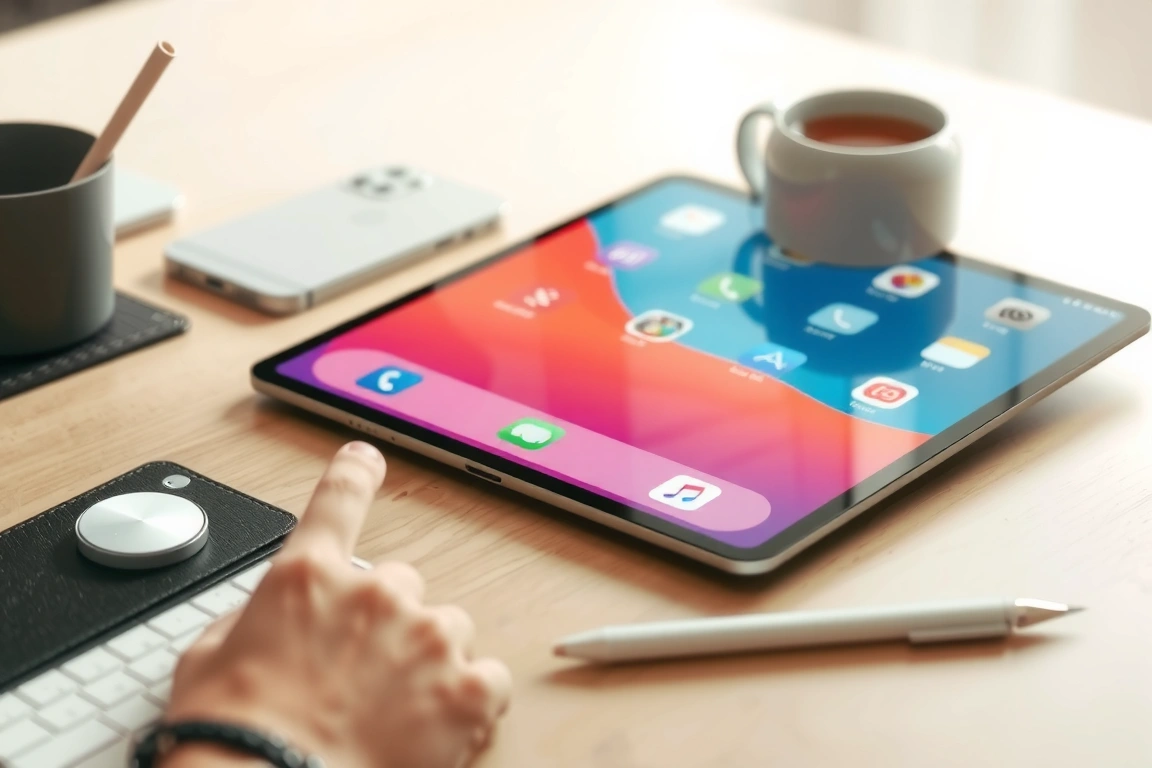
Base iPad (10.9-inch or 11-inch, 60Hz, from about $349)
Fine for GoodNotes, Notability, Apple Notes, and Nebo. You’ll notice more lag on fast cursive and you’re locked into the USB-C Apple Pencil (no Pencil Pro support), but for most students this is
enough. The trade-off is real: you’re giving up ProMotion smoothness and Pencil Pro’s tilt-independent squeeze gesture to save $350-$400 versus an iPad Air. If your note-taking is mostly typed-then-handwritten annotations on PDFs rather than fast freehand cursive, you likely won’t notice what you’re missing.
iPad Air (11-inch or 13-inch, 60Hz, M2/M3, from about $599)
This is the one I’d actually recommend to most people asking “which iPad for note-taking.” It supports the Apple Pencil Pro (4096 pressure levels, barrel roll, squeeze, haptics), which none of the base iPad’s options match, but it’s still capped at a 60Hz display, so you inherit the same 20-30ms trailing lag on fast cursive that the base model has. You’re paying the Air premium for pencil capability and processing headroom, not for a smoother-feeling line. If ink latency during fast handwriting is your top complaint with an iPad, the Air will not fix it — only ProMotion fixes it.
iPad Pro (11-inch or 13-inch, 120Hz ProMotion, M4, from about $999)
This is the only tier where you get both Pencil Pro support and the 120Hz refresh rate that collapses latency into the 8-12ms range, on paper. The 13-inch model’s tandem OLED panel also renders a noticeably deeper black under things like Notability’s dark paper templates, though that’s a display quality point, not a note-taking one. The honest case against it: none of the six apps in this roundup use any Pro-specific feature. GoodNotes, Notability, Nebo, and the rest render identically on Air and Pro apart from the refresh rate and pencil generation. You’re paying roughly $400 more than the Air specifically for smoother ink and a better screen, not for app functionality you can’t get elsewhere.
Buy the base iPad if budget is the deciding factor and your notes lean typed-and-annotated rather than fast freehand. Buy the iPad Air if you want Pencil Pro’s pressure range and gestures without paying Pro prices. Buy the iPad Pro if you write fast cursive for hours a day and can feel 20ms of lag — lecture-hall notetakers and people converting handwriting to text in real time will notice the difference most.
Storage: how much you actually need
Handwritten notes are cheap on storage — a semester of dense handwritten pages in GoodNotes or Noteshelf typically runs under 1GB because ink strokes are stored as vector data, not bitmap images. The number that actually eats your storage tier is imported PDFs and, if you use Notability, recorded audio. A typical 50-minute lecture recording in Notability’s standard quality runs 25-40MB; a semester of daily recorded lectures can add up to several gigabytes. If you annotate over textbook PDFs heavily, each imported book can run 50-200MB depending on how image-heavy it is.
The 64GB base iPad tier is workable for handwriting-only use but tight if you’re also recording lectures in Notability or importing a full course’s worth of textbook PDFs. 128GB is the realistic minimum for anyone combining note apps with audio recording; 256GB removes the question entirely and costs less than you’d think relative to the jump from 64GB.
Cloud sync and where your notes actually live
GoodNotes syncs through iCloud by default, with an optional GoodNotes cloud account for cross-platform access on Android and web — useful if you switch between an iPad and a Windows laptop. Notability’s sync also runs through iCloud natively, and its own account layer is mainly there for the subscription, not multi-cloud flexibility. Noteshelf 3 supports iCloud plus Dropbox and Google Drive as sync targets, which matters if your school or workplace standardizes on Google Workspace rather than Apple’s ecosystem. Nebo saves locally by default and pushes exports manually to your chosen cloud service rather than auto-syncing a live notebook. OneNote is the outlier in a good way here: it syncs through a Microsoft account natively across Windows, Android, iPad, and web with no extra setup, which is the actual reason to pick it over a dedicated note app if you’re deep in a Microsoft 365 environment.
The lock-in question that matters more than any of this: can you get your notes out if you switch apps? GoodNotes, Notability, and Noteshelf all export to PDF, which preserves the visual page but flattens your strokes — you lose the ability to re-edit individual pen strokes once you leave the app. None of the three export to each other’s native format. If you’ve written thousands of pages in Notability’s proprietary format and want to move to GoodNotes, you’re exporting PDFs and starting your searchable, editable stroke history over from zero. Nebo is the exception because its core purpose is producing plain text and DOCX output, so the underlying content isn’t trapped in a proprietary ink format the same way.
Who should skip an iPad note app entirely
If your main complaint about note-taking on paper is “I lose the notebook” or “I want to search my notes,” and you don’t need color, sketching, or PDF annotation, a reMarkable Paper Pro or Kindle Scribe will serve you better than any iPad app on this list. Both use E Ink displays that eliminate glare and glow-through entirely, run for weeks rather than hours on a charge, and remove every notification and browser tab that competes for your attention on an iPad. The trade-off is real: no color ink beyond the reMarkable Paper Pro’s limited palette, no audio-sync note-taking, slower page-refresh when scrolling fast, and app ecosystems that are a fraction the size of what GoodNotes or Notability offer. If you’re buying an iPad specifically because you keep getting distracted mid-note by Safari or Messages, that’s a signal to look at a single-purpose device instead of trying to will yourself into discipline on a general-purpose tablet.
My actual recommendation by use case
Law and grad students annotating dense PDFs with citations: GoodNotes 6, paired with at least an iPad Air for the Pencil Pro’s pressure range on marginalia. Undergraduate lecture note-takers who need to recover what the professor said: Notability on any iPad, since the audio-sync feature matters more than screen refresh rate for this specific workflow. Anyone converting handwritten notes or math into typed, gradable, or searchable text: Nebo, full stop — it beats every other app in this roundup on accuracy by a wide enough margin that the gap isn’t close. People who’ve already paid for GoodNotes-equivalent quality once and refuse to pay a subscription again: Noteshelf 3’s lifetime tier. Anyone already required to use Microsoft 365 by their school or employer: OneNote, because free-and-synced beats better-but-paid when the sync requirement is set by someone else. Designers, architecture students, and anyone storyboarding rather than transcribing: Concepts, on whatever iPad you already own, since its infinite canvas is the differentiator, not raw stylus latency.
FAQ
Do I need to buy GoodNotes and Notability separately, or can one app do both jobs?
GoodNotes can record audio in its newer versions but doesn’t offer word-level jump-to-audio playback the way Notability does — tapping a word in your notes to hear the exact second it was said is Notability’s specific strength, and GoodNotes doesn’t replicate it. If lecture-audio recall matters to you, Notability is worth having even if GoodNotes is your primary notebook app.
Is the subscription for GoodNotes or Notability actually worth it over the free tier?
GoodNotes’ free tier caps you at three notebooks total, which is workable for testing the app but not for a full semester across multiple classes. Notability’s free tier limits you to one note per day unless you subscribe. Both paid tiers cost under $15/year, which is cheap enough that the real question isn’t price — it’s whether you’ll actually keep using the app past the first month. Test on the free tier first; upgrade once you know you’re not switching to a different app in three weeks.
Does Apple Pencil hover work the same across all these apps?
Hover preview (seeing where the pencil tip will land before it touches the screen) requires an iPad Pro or iPad Air with the Apple Pencil Pro or 2nd-generation Apple Pencil; it’s a hardware-level feature exposed through PencilKit, so GoodNotes, Notability, Noteshelf, and Nebo all support it identically when the hardware allows it. The USB-C Apple Pencil on the base iPad does not support hover in any app, regardless of which note app you’re running.
Can I switch from Notability to GoodNotes without losing my old notes?
You can export your existing Notability notes as PDFs and import them into GoodNotes, but you’ll lose the ability to edit individual ink strokes, since PDF export flattens handwriting into a fixed image layer. Any audio recordings tied to those notes stay behind in Notability’s format entirely; there’s no cross-app audio-sync migration path.
Does handwriting-to-text accuracy improve with practice, or is it fixed per app?
It improves somewhat as the app’s recognition engine adapts to your specific handwriting, particularly in Nebo and GoodNotes, but the ceiling is set by the underlying recognition model, not by training. If your handwriting is naturally inconsistent, expect accuracy on the lower end of the reported range for any given app, regardless of how long you’ve used it.
Is a 60Hz iPad a dealbreaker for note-taking?
No. It’s a real difference (roughly 20-30ms of trailing lag versus 8-12ms on ProMotion, on paper), but plenty of people write for years on 60Hz iPads without finding it disqualifying. It matters most if you write fast cursive at length; it matters least if your notes are mostly typed text with occasional handwritten annotation.
[…] Best iPad Note-Taking Apps in 2026 (GoodNotes vs Notability vs the Rest) […]
[…] Best iPad Note-Taking Apps in 2026 (GoodNotes vs Notability vs the Rest) […]
[…] Best iPad Note-Taking Apps in 2026 (GoodNotes vs Notability vs the Rest) […]