

Buy the Kindle Scribe if note-taking is the actual job: it has a 10.2-inch grayscale screen built for full-page handwriting, a pen bundled in the box, and a dedicated notebook app that exports clean PDFs. Buy the Kindle Colorsoft if reading is the job and handwriting is a nice-to-have: it has a 7-inch color screen for magazines, comics, and highlighted book covers, but its note-taking is bolted on, not built for it. Nobody should buy either device expecting reMarkable-level paper feel — that’s a different trade-off entirely.
Disclosure: This post contains affiliate links. If you click through and make a purchase, we may earn a small commission at no extra cost to you. Thank you for supporting this site!
Key takeaways
- Kindle Scribe: 10.2-inch, 300 ppi grayscale E Ink Carta 1200, built around a full notebook app, pen included in every configuration.
- Kindle Colorsoft: 7-inch, 300 ppi (monochrome layer) E Ink Kaleido 3 color screen, pen sold separately, note-taking added as a secondary feature via software update, not a from-scratch notebook tool.
- Neither device requires a subscription to write, annotate, or export. Kindle Unlimited ($11.99/month) is optional and unrelated to the pen features.
- Scribe wins on writing surface size and export flexibility (full-page PDF export of notebooks). Colorsoft wins on color rendering for comics, magazines, and book covers, and it’s the better pure reading device.
- If paper feel and pressure-sensitive shading matter more than Amazon’s ecosystem, look at the reMarkable Paper Pro instead — it beats both on stylus feel but costs more and leans on a subscription for full functionality.
Specs at a glance
| Spec | Kindle Scribe | Kindle Colorsoft | reMarkable Paper Pro (for context) |
|---|---|---|---|
| Screen size | 10.2 in | 7 in | 11.8 in |
| Resolution | 300 ppi, grayscale E Ink Carta 1200 | 300 ppi text / roughly 150 ppi effective color, E Ink Kaleido 3 | 229 ppi, color E Ink |
| Pen included | Yes (Basic Pen standard, Premium Pen on higher configs) | No — Basic Pen ($29.99) or Premium Pen ($59.99) sold separately | Yes (Marker included, Marker Plus with eraser costs more) |
| Notebook app | Dedicated notebook creation, templates, sticky notes on book pages | Annotation and highlighting layer added via firmware update; no from-scratch blank-notebook workflow | Full notebook system, layers, PDF markup |
| Storage | 16GB / 32GB / 64GB | 16GB / 32GB | 64GB fixed |
| Battery (Amazon/maker claim) | Up to 12 weeks reading; roughly 3 weeks with daily writing | Up to 8 weeks reading | About 2 weeks mixed use |
| Export format | PDF (full notebook), handwriting-to-text via Send to Kindle | Highlights and notes sync through Kindle account; no standalone notebook PDF export | PDF, PNG, handwriting conversion (some features gated behind Connect subscription) |
| Starting price | $339.99 (16GB, Basic Pen) | $279.99 (16GB, no pen) | $579 (Marker included) |
| Subscription required | No | No | No for local use; Connect ($2.99/mo) needed for cloud backup and some conversion features |
The core trade-off: color screen vs note-taking-first design
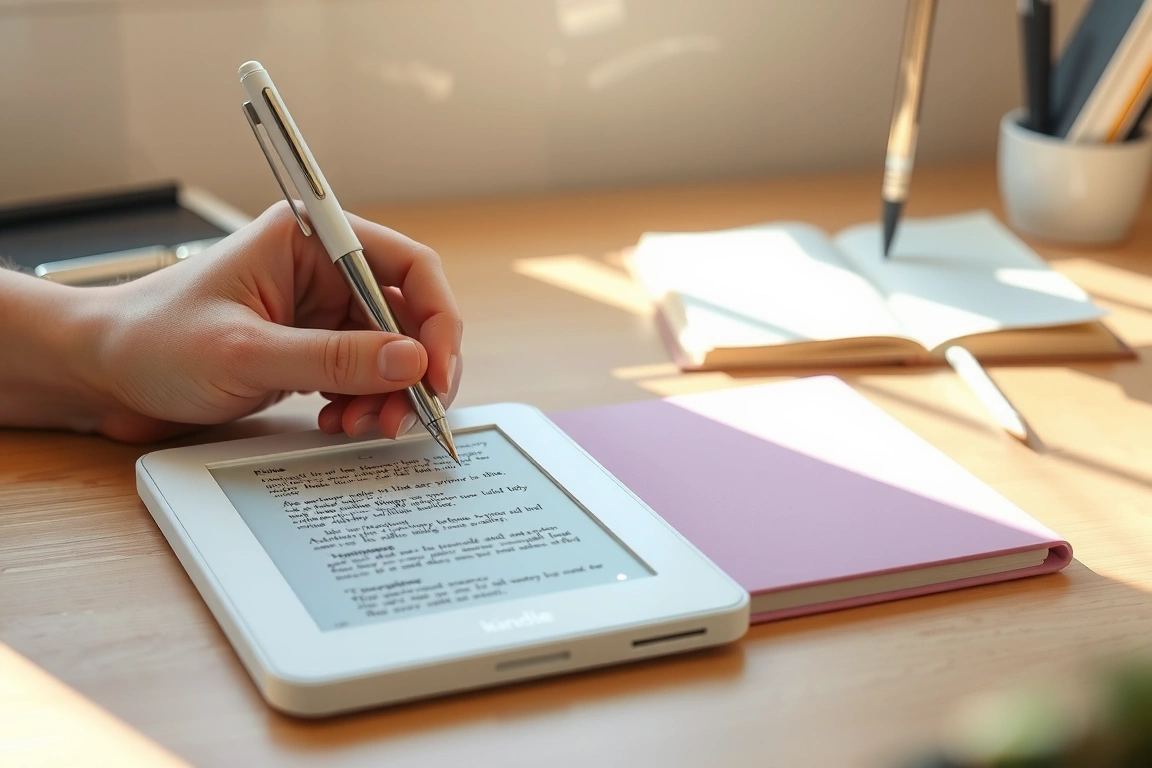
The Scribe and the Colorsoft come from the same product family but were engineered for different jobs, and that shows the moment you pick up a pen. The Scribe’s 10.2-inch panel gives you almost a full sheet of legal-pad space, and Amazon designed the software around it — you can open a blank notebook, pick a template (lined, grid, planner, storyboard), and write across the whole page without the software getting in the way. The Colorsoft’s 7-inch panel is a book screen that happens to accept a stylus for margin notes and highlights. You are not going to draft a page of meeting notes on it comfortably; the writing area is closer to a large sticky note than a legal pad.
Color is the other side of the trade. E Ink Kaleido 3, the layer Colorsoft uses, sits on top of the grayscale panel and adds a color filter array. It renders comic covers, magazine spreads, and highlighted passages (yellow, blue, pink, orange marks) in visible color, but at a real resolution cost — the color layer runs at roughly half the effective resolution of the black-and-white layer underneath it. Text still reads at full 300 ppi sharpness; illustrations and covers look noticeably softer than they would on an LCD or OLED screen. The Scribe has no color layer at all. Every note, PDF, and book page is grayscale, full stop.
Screen and reading experience
For text-only reading, the two are close: both hit 300 ppi for black text, both use a frontlight (Colorsoft’s auto-adjusts on the Signature Edition; Scribe’s is manual unless you enable auto-brightness in settings), and both support the same font and margin controls found across the Kindle line. The difference shows up on anything with a cover image, comic panel, or colored diagram. If you read a lot of graphic novels, comics, or annotate textbooks with a color-coding system, Colorsoft’s color layer earns its keep. If your reading is mostly novels, articles, and PDFs with no images to speak of, the color layer is dead weight you’re paying screen space for — recall the Colorsoft’s screen is 3.2 inches smaller than the Scribe’s, so you’re trading page real estate for color you may rarely use.
Pen and handwriting quality
The Scribe ships with a pen in every box — no exceptions, no separate purchase. The base configuration includes the Basic Pen (no eraser, no shortcut button); step up a tier and you get the Premium Pen, which adds a dedicated eraser end and a customizable shortcut button. Amazon doesn’t publish an exact pressure-level count for either pen, the way reMarkable publishes 4096 levels for its Marker. In practice, the Scribe’s pen produces a handful of visible line-weight steps depending on pressure — enough to distinguish a heading stroke from a fine note, not enough to fake real ink variation. Latency is not publicly benchmarked by Amazon in milliseconds, but side-by-side with a reMarkable Paper Pro, the Scribe shows a slightly more visible lag on fast cursive strokes; slow, deliberate handwriting looks close to instant on both.
Colorsoft doesn’t include a pen at all. You buy the Basic Pen or Premium Pen separately, and Amazon added stylus support to Colorsoft after launch through a firmware update rather than shipping it as a day-one notebook device. What you get is annotation: underlining, margin notes, highlight-and-comment on book text and PDFs. There’s no equivalent of the Scribe’s blank-canvas notebook mode with templates for daily planning or freeform sketching. If you want to write, not just annotate, the hardware and software both assume you bought a Scribe instead.
Storage, export, and file formats
Both devices support 16GB and 32GB tiers; Scribe adds a 64GB option that Colorsoft doesn’t offer. That matters more for the Scribe because its notebooks (especially ones with a lot of freehand drawing or scanned PDF markup) eat storage faster than a book library does. Export is the sharper difference. On Scribe, a finished notebook exports as a PDF you can email to yourself or send through the Send to Kindle pipeline, and Amazon’s handwriting-to-text conversion turns legible cursive into a plain text block inside that same export. On Colorsoft, there is no equivalent “export my notebook” action, because there is no standalone notebook object — your handwritten notes live as annotations layered onto the book or PDF you were reading, and they sync as highlights/notes through your Kindle account rather than exporting as an independent file.
Battery life and charging
Amazon rates the Scribe at up to 12 weeks on a charge under a light-reading usage pattern (roughly 30 minutes a day, wifi off, frontlight at a moderate setting). Turn that same device into a daily notebook — writing for 30-plus minutes a day with the light on — and real-world battery life drops to roughly 3 weeks, since the pen’s digitizer and the screen refreshes for ink rendering draw more power than page turns do. Colorsoft is rated up to 8 weeks under the same light-reading assumptions; add regular stylus annotation and expect that number to fall, though less steeply than the Scribe’s drop, since Colorsoft’s stylus use is occasional annotation rather than sustained handwriting. The Colorsoft Signature Edition supports wireless charging; the standard Colorsoft and the Scribe both charge over USB-C only.
Price and subscription
Colorsoft starts at $279.99 for 16GB with no pen included — add a Basic Pen for $29.99 or a Premium Pen for $59.99 and you’re at $309.99–$339.99 before tax, right around Scribe’s $339.99 starting price, which already includes a pen. That’s the number that should drive the decision for anyone comparing on price alone: a pen-equipped Colorsoft costs about the same as an entry Scribe, so the real question is whether you want a smaller color screen with bolted-on annotation or a bigger grayscale screen built around a notebook app. Neither device carries a subscription requirement for its core writing or reading features. Kindle Unlimited, Amazon’s $11.99/month book subscription, is available on both but has nothing to do with note-taking — you can use either device’s pen features on the free tier indefinitely.
Who should buy the Kindle Scribe
Buy the Scribe if you take notes daily and want one device that replaces a legal pad, not a coloring book. It’s for people who already read on Kindle and want to annotate PDFs, mark up manuscripts, or keep a running planner without switching to a second app or device. The 10.2-inch screen and full notebook software are built for sustained handwriting sessions, and the export-to-PDF pipeline means your notes leave the device in a usable format instead of staying trapped as book annotations.
The Scribe is not for anyone who wants color, and it’s not for anyone chasing the most paper-like pen feel available — that title still belongs to reMarkable’s hardware, not Amazon’s. It’s also a poor fit if your primary use case is casual annotation of two or three books a year; the price premium over a base Kindle Paperwhite isn’t worth it for occasional use.
Who should buy the Kindle Colorsoft
Buy the Colorsoft if reading is 90 percent of what you do on a Kindle and color rendering (comic covers, cookbook photos, colored highlights) matters to that reading. It’s for someone upgrading from an older grayscale Kindle who wants a nicer screen first and treats stylus support as a bonus for the occasional margin note, not a core workflow.
The Colorsoft is not for anyone planning to replace a notebook or journal with it — the hardware doesn’t include a pen, and the software doesn’t include the blank-canvas notebook mode that makes the Scribe useful for that job. It’s also not for anyone comparing color quality against an LCD tablet; E Ink Kaleido 3 is a reflective, paper-like color technology, and it looks washed out next to an iPad screen under the same light. That trade-off buys weeks of battery life and no eye strain in direct sun, but the color saturation is a real step down from any backlit tablet.
What about the reMarkable Paper Pro
If the actual complaint driving your search is “I want a pen that feels like paper,” neither Kindle answers that as well as the reMarkable Paper Pro does. Its 11.8-inch color E Ink screen, 4096 pressure levels, and 21ms latency figure (a number reMarkable actually publishes, unlike Amazon) produce a writing feel that’s closer to a fountain pen on cotton paper than either Kindle gets. It starts at $579 with the Marker included, though full functionality — cloud backup, handwriting-to-text conversion beyond the basics — leans on the Connect subscription at $2.99 a month or $29 a year. It also doesn’t sell books or connect to a reading storef
ront the way a Kindle does — you load your own PDFs and EPUBs onto it or send documents through the reMarkable app, and there’s no Kindle Store, no Kindle Unlimited, no book purchases at all. It’s a writing tablet that happens to display PDFs well, not a reading device that happens to take notes. Buy the reMarkable if paper feel is the actual requirement and you’re willing to manage your own document library and pay a subscription for full functionality; buy either Kindle if you want that library handled for you and you’re willing to accept a pen that feels slightly more like plastic-on-glass than paper.
Screen specs compared
Scribe uses a 10.2-inch E Ink Carta 1200 display at 300 PPI, monochrome only, with a built-in front light that goes warm or cool. Colorsoft uses a 7-inch E Ink Kaleido 3 display, also 300 PPI for the black-and-white layer, with a color layer that effectively renders at a lower resolution because Kaleido 3 works by placing a color filter array over the same monochrome pixels — you’re not getting 300 PPI color, you’re getting 300 PPI grayscale detail with color painted on top at roughly a quarter of that sharpness. reMarkable’s Paper Pro splits the difference at 11.8 inches with its own color E Ink layer and a specified 21ms latency figure that Amazon doesn’t publish for either Kindle. In practice this means Colorsoft’s color is best for covers, illustrations, and highlight colors, not for fine color detail in a photo or chart — if you’re marking up a color-coded spreadsheet expecting to distinguish six different highlight shades at a glance, expect some of them to look close enough to blur together on the page.
None of these screens are backlit in the LCD sense; all three are reflective displays that use front lighting, which is why battery life on all of them is measured in weeks instead of hours. If your comparison set includes an iPad or a Boox Android tablet, understand that you’re comparing a different display category entirely — those are backlit LCD or OLED panels with vibrant, saturated color and battery life measured in a single day, not weeks. E Ink buys you sunlight readability and no eye strain; it costs you color accuracy and refresh speed.
Refresh rate and ghosting
Turning a page or opening a new notebook triggers a full-screen refresh on all three devices, which flashes black then resets to clear the previous image’s ghost — the faint outline E Ink panels leave behind after a partial refresh. Scribe and Colorsoft both let you set how often that full refresh happens (every page vs. every several pages) as a tradeoff between speed and image cleanliness; leave it on “every page” if you’re annotating dense PDFs and ghosting bothers you, and stretch it out if you’re doing casual reading and want fewer flashes. reMarkable’s Paper Pro handles this more aggressively in its writing canvas specifically, refreshing only the area under the pen tip rather than the full page, which is part of why its handwriting feel benchmarks faster than either Kindle’s.
Ecosystem lock-in: Amazon account vs. reMarkable cloud
Both Kindles tie your notes and books to your Amazon account. That’s fine if you’re already deep in Kindle Unlimited or own a library of Amazon ebooks, but it means your handwritten notebooks on Scribe live inside Amazon’s ecosystem — exported as PDF, yes, but organized and synced through the same account structure as your book purchases. There’s no independent notes app, no third-party sync to Dropbox or Google Drive built into the device, and no way to access your notebooks except through Send to Kindle or manual USB transfer. Colorsoft’s notes are locked even tighter, since they’re not independent files at all — they’re annotations attached to specific books, which means switching ecosystems means leaving those notes behind or exporting them one book at a time.
reMarkable’s lock-in runs through its own cloud instead of Amazon’s. The base experience — writing, basic PDF markup, local file transfer over USB or wifi — doesn’t require a subscription. But cloud backup across devices, the mobile and desktop companion apps, and the more accurate handwriting conversion all sit behind Connect at $2.99 a month or $29 a year. Skip the subscription and you can still write and export PDFs; you just do it device-by-device without automatic backup, which is a real risk if you drop the tablet or it fails. Neither Kindle charges anything extra for notebook or annotation features — that cost is baked into the $339.99 or $309.99–$339.99 purchase price, no recurring fee attached.
Which one should you actually buy
If you already own Kindle books, use Kindle Unlimited, and want one device for reading and note-taking without adding a subscription, the decision is between Scribe and Colorsoft, not between either Kindle and reMarkable. Pick Scribe if notes are a daily habit and you need the bigger canvas and notebook software. Pick Colorsoft if notes are occasional and color reading matters more than writing.
If your complaint is specifically about how the pen feels — lag, texture, pressure sensitivity — skip both Kindles and get the reMarkable Paper Pro, understanding that you’re taking on a $579 upfront cost, a document-management workload Amazon otherwise handles for you, and an optional-but-recommended $29-a-year subscription for backup and conversion features. There’s no configuration of any of these three devices that gives you Amazon’s book ecosystem, reMarkable’s pen feel, and a subscription-free experience all at once — something gives, and which thing you’re willing to give up is the actual decision, not the marketing copy on any of their product pages.
Frequently asked questions
Can I use a Kindle Scribe pen on a Kindle Colorsoft, or vice versa?
No. The Scribe’s included pen and Colorsoft’s optional Basic or Premium pens are not cross-compatible across the two devices’ digitizers as of current hardware; buy the pen made for the device you own.
Does Colorsoft support handwriting-to-text conversion like the Scribe?
Not in the way Scribe does. Scribe converts legible handwriting into a plain-text block as part of a notebook’s PDF export. Colorsoft’s stylus input is annotation on existing book or PDF content, and there’s no standalone notebook to run that conversion against.
Do I need Kindle Unlimited to use the pen features on either device?
No. Kindle Unlimited is a book subscription and has no connection to note-taking, annotation, or the Scribe’s notebook mode. Both devices’ pen features work indefinitely on the free tier.
Is the reMarkable Paper Pro usable without paying for Connect?
Yes, for local writing, PDF markup, and file transfer over USB or wifi. Connect at $2.99/month or $29/year adds cloud backup, multi-device sync, and more accurate handwriting conversion — skip it if you only ever use one device and back up manually.
Which device has better battery life for heavy note-taking?
Colorsoft’s battery drops less steeply under stylus use than Scribe’s does, but that’s because Colorsoft’s stylus use is meant to be occasional annotation. For sustained daily handwriting, Scribe’s real-world battery life (about 3 weeks) is what you should plan around, not its 12-week light-reading rating.
Can I export Colorsoft annotations as a standalone file the way I can with Scribe notebooks?
No. Colorsoft notes stay attached to the book or PDF they were written on and sync as highlights/notes through your Kindle account. There’s no independent notebook object to export as its own PDF.
[…] Kindle Scribe vs Kindle Colorsoft: Does Color Change the Note-Taking Case? […]
[…] Kindle Scribe vs Kindle Colorsoft: Does Color Change the Note-Taking Case? […]
[…] Kindle Scribe vs Kindle Colorsoft: Does Color Change the Note-Taking Case? […]
[…] Kindle Scribe vs Kindle Colorsoft: Does Color Change the Note-Taking Case? […]
[…] Kindle Scribe vs Kindle Colorsoft: Does Color Change the Note-Taking Case? […]
[…] Kindle Scribe vs Colorsoft: Color E-Ink Note-Taking Verdict (2026) […]